Download our basic Excel template for cemetery record keeping, or discover why dedicated cemetery software is the better choice.
While Excel templates can help with basic record keeping, they come with significant limitations for professional cemetery management. Our free cemetery software offers a much better solution.
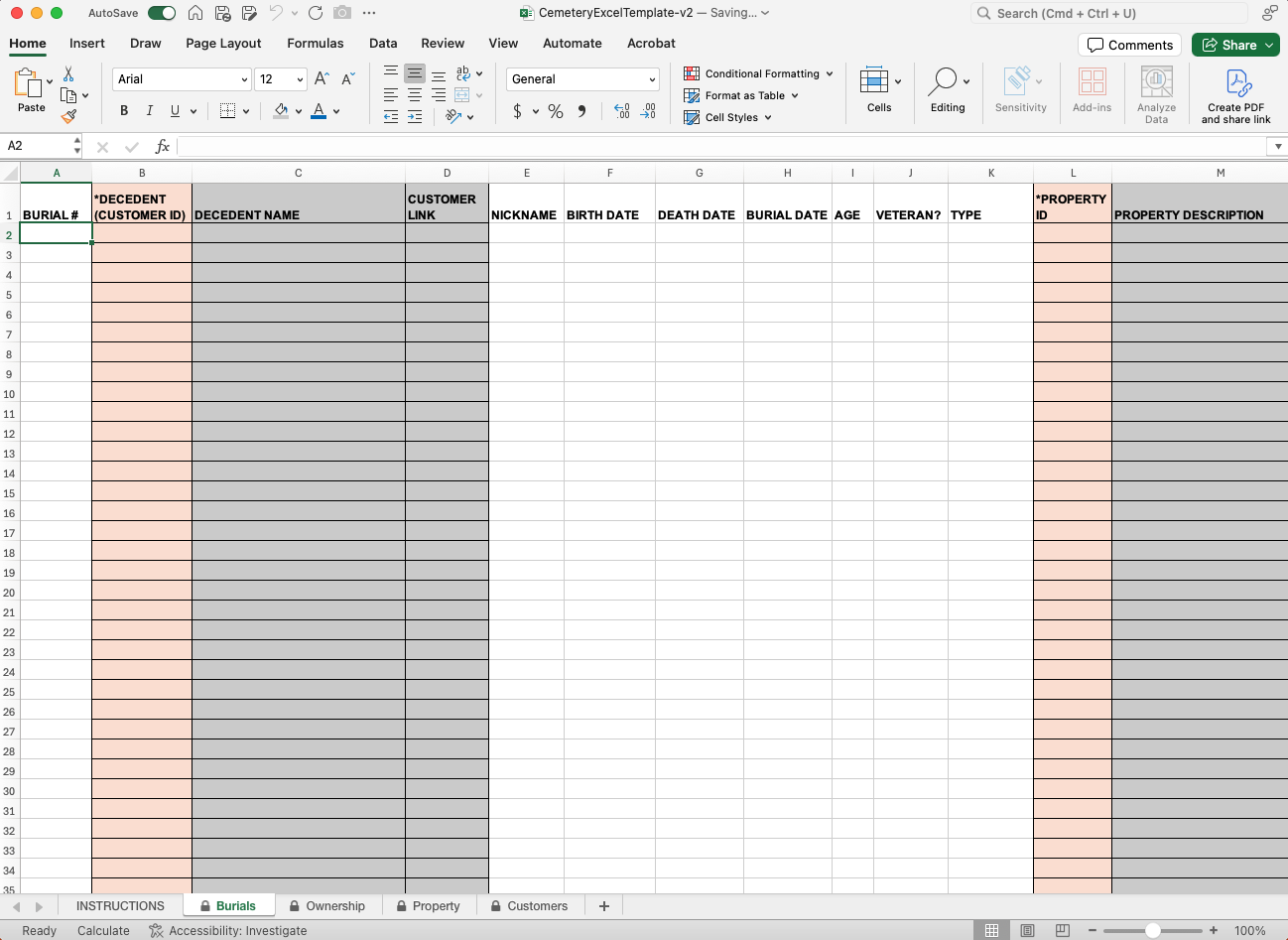
An Excel template seems convenient. But, it comes with risk for cemetery operations.
Rows and columns can be accidentally shifted, sorted incorrectly, or deleted. One mistake can corrupt your entire cemetery database.
Excel can't prevent invalid dates, duplicate plot numbers, or inconsistent data entry. This leads to errors that can cause serious legal issues.
Excel struggles with many-to-many relationships like family members, multiple plot owners, or linked contracts that are common in cemetery operations.
Multiple staff members can't safely work with the same Excel file simultaneously without file sharing services.
Finding specific records in large Excel files is slow and cumbersome. No advanced search, filtering, or reporting capabilities.
Excel can't handle payments, contracts, trust accounting, or the complex financial requirements of modern cemetery operations.
Professional cemetery software designed specifically for your industry needs.
Download our free cemetery Excel template below.
Important: This template is for basic record keeping only. Even for small cemeteries, we strongly recommend using proper cemetery software.
Basic template includes columns for plot information, deceased records, burial dates, and plot ownership. Free download, no registration required.
Download Template (.xlsx)Compatible with Excel 2016+ and Google Sheets
Ready for something better?
Try Our Free Cemetery Software InsteadJoin hundreds of cemeteries who've made the switch from spreadsheets to professional cemetery software. Get started with our free tier today.
Sign up for free